Want to create a stunning and realistic Diwali fireworks photo using ChatGPT? You are in the right place! Nowadays, AI photo editing trends are becoming increasingly popular on Instagram, Facebook, and other social media platforms.
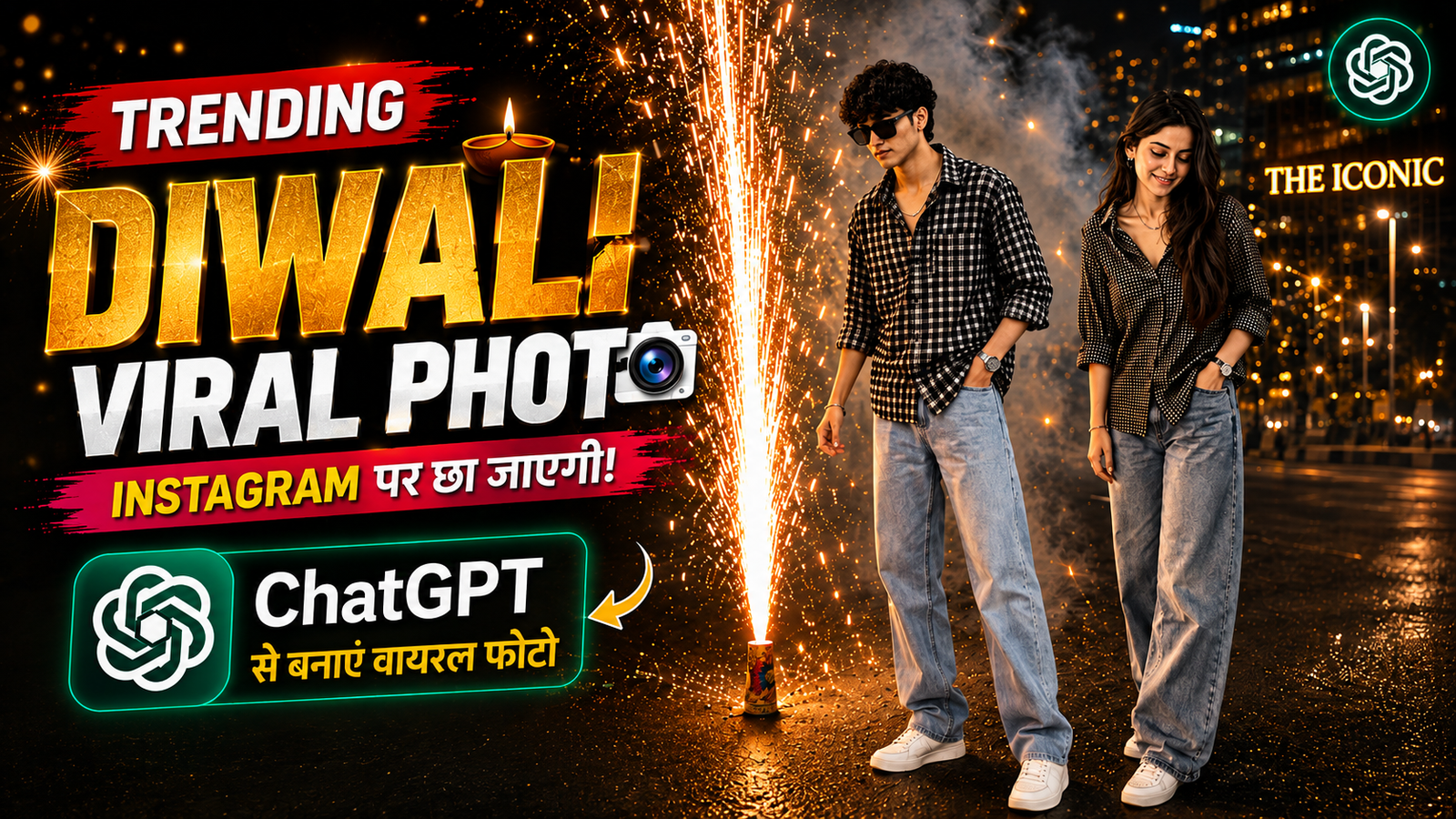
With the help of ChatGPT, you can transform your normal photo into a beautiful, cinematic night portrait featuring spectacular golden fireworks. This trending AI photo style gives your picture a professional photography look with realistic lighting, glowing fireworks, and a beautiful city background.
The best part is that you don’t need any professional photo editing skills. Just upload your photo, copy the prompt below, and let ChatGPT create your amazing AI photo.
How to Create a Diwali Fireworks AI Photo Using ChatGPT?
Follow these simple steps to create your own viral AI fireworks photo:
Step 1: First, open ChatGPT on your mobile phone or computer.
Step 2: Upload your normal, clear photo to ChatGPT. For the best results, use a photo where your face is clearly visible.
Step 3: Copy the AI photo editing prompt given below.
Step 4: Paste the copied prompt into ChatGPT and click the Generate button.
Step 5: Wait for a few moments while ChatGPT generates your image.
Step 6: Once your photo is ready, save it to your device and share it on Instagram, Facebook, WhatsApp, or other social media platforms.
That’s it! Your realistic Diwali fireworks AI photo is ready.
ChatGPT AI Diwali Fireworks Photo Editing Prompt
Copy the following prompt and paste it into ChatGPT after uploading your photo.
Create an ultra-realistic, professional full-body nighttime street portrait using the uploaded reference image.
IMPORTANT FACE INSTRUCTIONS: Use the uploaded photo as the ONLY reference for the person’s face and identity. Preserve the exact same facial identity, facial structure, face shape, skin tone, eyes, nose, lips, and all natural facial features. Do not change, replace, or regenerate the face. The person must look exactly like the original uploaded photo.
Outfit: The person is wearing a stylish oversized black and dark brown checkered shirt with rolled-up sleeves, loose-fit light blue baggy denim jeans, clean white sneakers, a stylish wristwatch, and minimal accessories.
Pose: The person is standing casually on a city street at night, with one hand inside the jeans pocket and the other hand resting naturally by the side. The head is slightly tilted downward, with a gentle and natural smile while looking toward the fireworks.
Fireworks: On the left side of the person, create a spectacular golden fountain firework (Anar) placed on the road, shooting hundreds of bright golden sparks high into the night sky. Add realistic glowing particles, flying sparks, and natural fireworks smoke.
Background: A beautiful modern city street at night with illuminated commercial buildings, warm golden streetlights, a few trees, and a realistic urban environment. The background should look cinematic and naturally photographed.
Lighting: The golden fireworks should illuminate the person’s outfit and face naturally. Add realistic golden reflections on the road, soft shadows, warm highlights, and atmospheric smoke.
Photography Style: Professional DSLR photography, ultra-realistic details, natural skin texture, realistic body proportions, cinematic night photography, HDR quality, sharp focus, and premium color grading.
Composition: Full-body portrait, vertical 9:16 aspect ratio. Keep the entire person and the fireworks fountain clearly visible in the frame.
Final Instructions: Make the final image look like a real photograph taken by a professional photographer. Do not make it look artificial or AI-generated. Keep the original face exactly the same as the uploaded reference image.
No text, no logo, no watermark, no extra people, no distorted hands, and no extra fingers.
Generate AI Photo
Final Result
Using this simple ChatGPT AI photo editing method, you can turn your ordinary picture into a stunning Diwali fireworks portrait. Just upload your photo, copy the prompt, click Generate, and wait for your AI image to be ready.
Try this trending AI photo editing prompt and share your beautiful creation on social media!