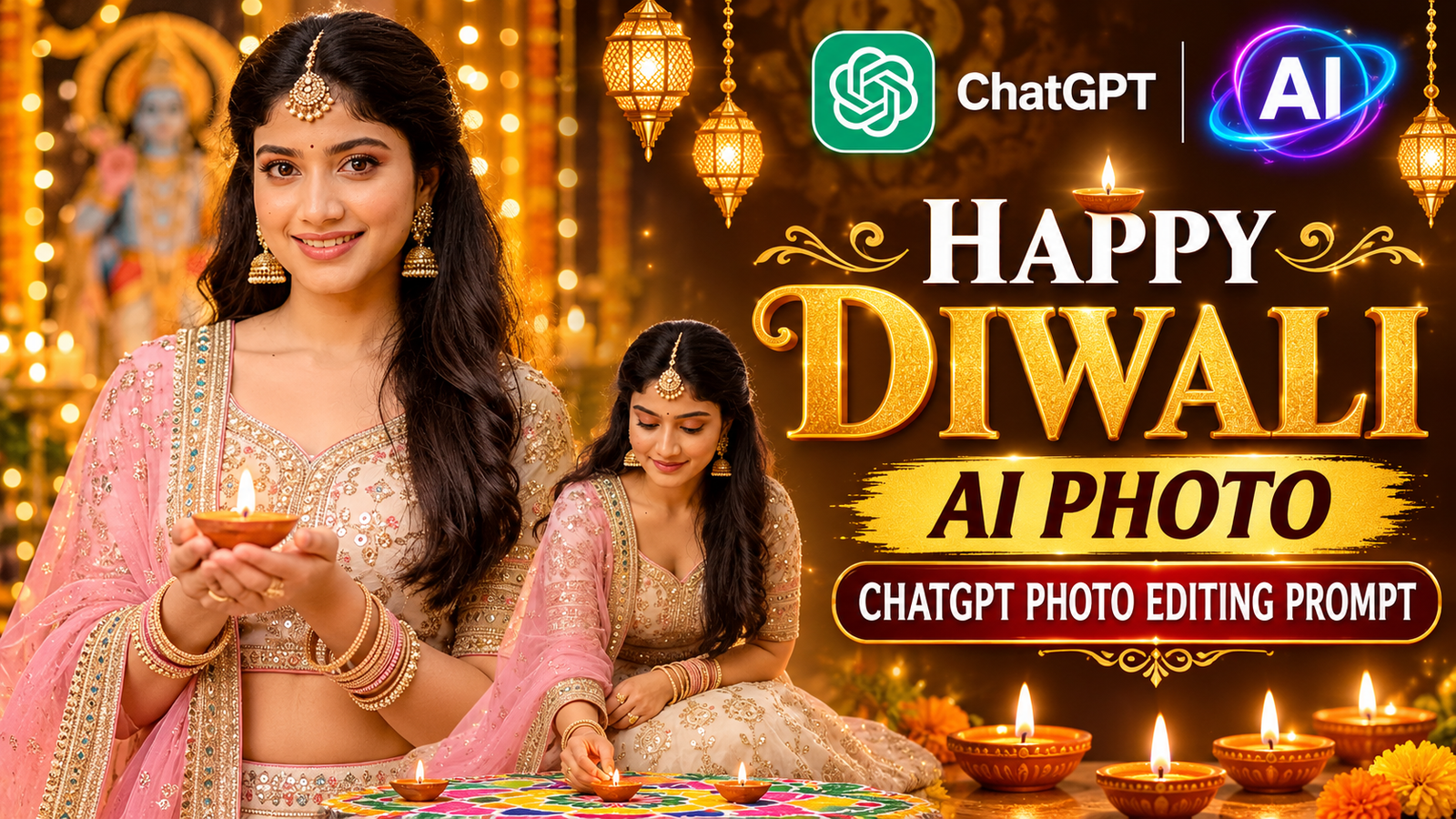
Want to create a beautiful and realistic Happy Diwali AI photo using ChatGPT? You can now transform your normal picture into a stunning Diwali festival portrait with traditional Indian outfits, glowing diyas, beautiful golden lights, and a festive background.
This AI photo editing trend is perfect for creating attractive Diwali photos for Instagram, Facebook, WhatsApp, and other social media platforms. You don’t need any professional photo editing skills. Just upload your normal photo to ChatGPT, paste the prompt below, and generate your own beautiful Diwali AI photo.
Happy Diwali AI Photo Editing Prompt
Copy the following prompt and paste it into ChatGPT to create a similar festive Diwali portrait.
Copy This Prompt:
Create an ultra-realistic, professional Diwali festival portrait using the uploaded reference photo. Keep the person’s original face, facial features, skin tone, and natural identity exactly the same as the reference image. Do not change the face or make the person look like someone else.
Dress the person in a beautiful traditional Indian festive outfit, an elegant cream-colored embroidered lehenga with intricate golden and pastel-colored designs, a matching blouse, and a soft pink dupatta with a detailed decorative border. Add traditional Indian jewelry, including elegant jhumka earrings, a maang tikka, a delicate necklace, and beautiful bangles.
Make the person stand gracefully while holding a lit sparkler in one hand with a natural, beautiful smile. Create a luxurious Diwali celebration background decorated with warm golden fairy lights, glowing diyas, marigold flower decorations, and a traditional festive atmosphere. Add a beautiful illuminated “Happy Diwali” sign in the background.
Use warm cinematic lighting, realistic skin texture, natural shadows, beautiful golden bokeh effects, and professional DSLR photography quality. Make the image highly detailed, photorealistic, and visually stunning. Preserve the original person’s identity and natural appearance. Vertical 9:16 portrait composition, high resolution.
How to Create a Happy Diwali AI Photo Using ChatGPT
Follow these simple steps to generate your own beautiful Diwali AI photo.
Step 1:
First, open the ChatGPT app on your mobile phone or visit the ChatGPT website.
Step 2:
Upload your normal photo to ChatGPT. Choose a clear photo where your face is visible so that ChatGPT can better preserve your original appearance.
Step 3:
Copy the Happy Diwali AI Photo Editing Prompt provided above and paste it into the ChatGPT message box.
Step 4:
Now click on the Generate button to start creating your AI Diwali photo.
Step 5:
Wait for a few moments while ChatGPT processes your photo and generates the new image.
Step 6:
Once the image is ready, you can view your beautiful Diwali portrait and save it to your device.
Final Words
Creating a beautiful Happy Diwali AI photo is very easy with ChatGPT. You only need your normal photo and the right AI photo editing prompt. Follow the steps above, use the copy-paste prompt, and create your own realistic Diwali portrait with traditional Indian fashion, glowing diyas, golden lights, and a festive celebration background.
You can also share your newly created AI Diwali photo with your friends and family on social media and make your Diwali celebrations even more special.