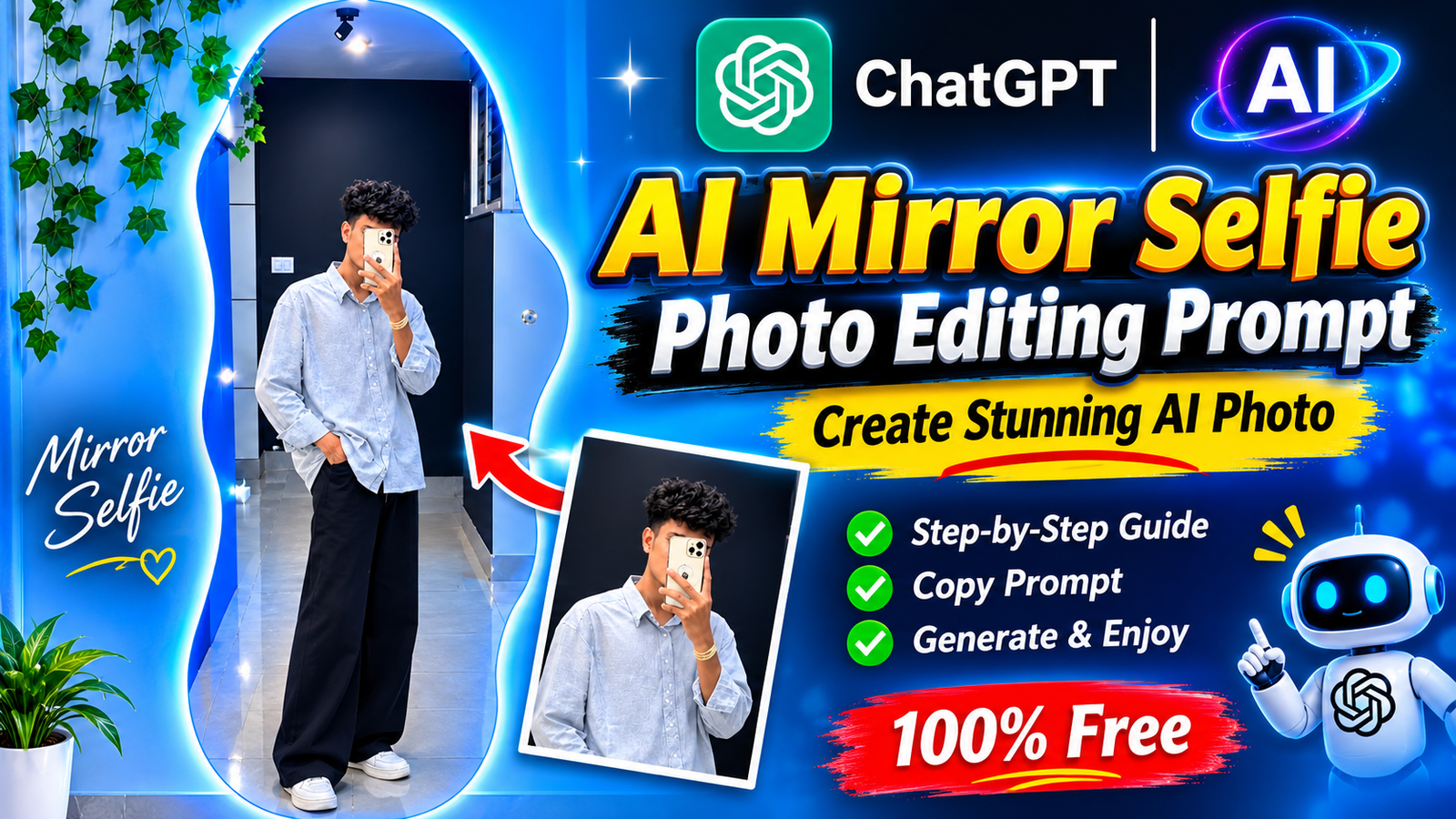
Want to create a stylish and realistic mirror selfie using AI? With the help of ChatGPT, you can transform your normal photo into a beautiful aesthetic mirror selfie featuring a glowing blue LED mirror, a modern indoor background, and a trendy outfit.
You don’t need any professional photo editing skills. Just upload your normal picture, copy and paste the prompt given below, and let ChatGPT generate your new AI photo.
AI Photo Editing Prompt
Copy the prompt below and use it in ChatGPT to create a similar AI mirror selfie.
Copy Prompt:
Create an ultra-realistic, photorealistic full-body mirror selfie using the uploaded reference photo. Keep the person’s original face, facial features, hairstyle, skin tone, and natural body proportions exactly the same. The person is standing casually in front of a large uniquely curved, wavy-shaped mirror with beautiful glowing blue LED lights around its edges. He is wearing an oversized light grey button-up shirt, loose-fit black wide-leg trousers, and clean white sneakers. One hand is holding a smartphone in front of the face, while the other hand is casually placed inside the trouser pocket. Add a modern aesthetic indoor room with light blue walls, hanging green ivy plants on the left side, a dark background behind the mirror, and a glossy light-colored tiled floor. Use realistic indoor lighting, natural shadows, beautiful blue ambient lighting, sharp details, and professional smartphone photography quality. Keep the entire body visible from head to toe. Maintain a natural and realistic appearance without changing the person’s identity. Vertical 9:16 composition, high-resolution photography.
How to Create This AI Mirror Selfie Photo Using ChatGPT
Follow these simple steps to create your own AI mirror selfie:
Step 1:
First, open ChatGPT on your mobile phone or computer.
Step 2:
Upload your normal photo to ChatGPT. Choose a clear picture so that the AI can understand your facial features and appearance.
Step 3:
Copy the AI photo editing prompt given above and paste it into the ChatGPT message box.
Step 4:
After pasting the prompt, click on the Generate button to start creating your AI photo.
Step 5:
Wait for a few moments while ChatGPT processes your request and generates the image.
Step 6: Once your image is ready, you can view and save your newly generated AI mirror selfie.
Final Words
Creating a realistic AI mirror selfie is now easy with ChatGPT. By following these simple steps and using the above prompt, you can turn your ordinary photo into a stylish aesthetic mirror selfie with beautiful blue LED lighting and a modern indoor background. You can also experiment with different outfits, mirror styles, and room backgrounds to create more unique AI photos.